
Marketing
18.1 Audience Builder
Section titled “18.1 Audience Builder”The Audience Builder answers a question the customer lists cannot: who has actually been diving with you, what did they do, and when were they last here. Use it to build a mailing list for a campaign. Click on Marketing and Audience Builder.
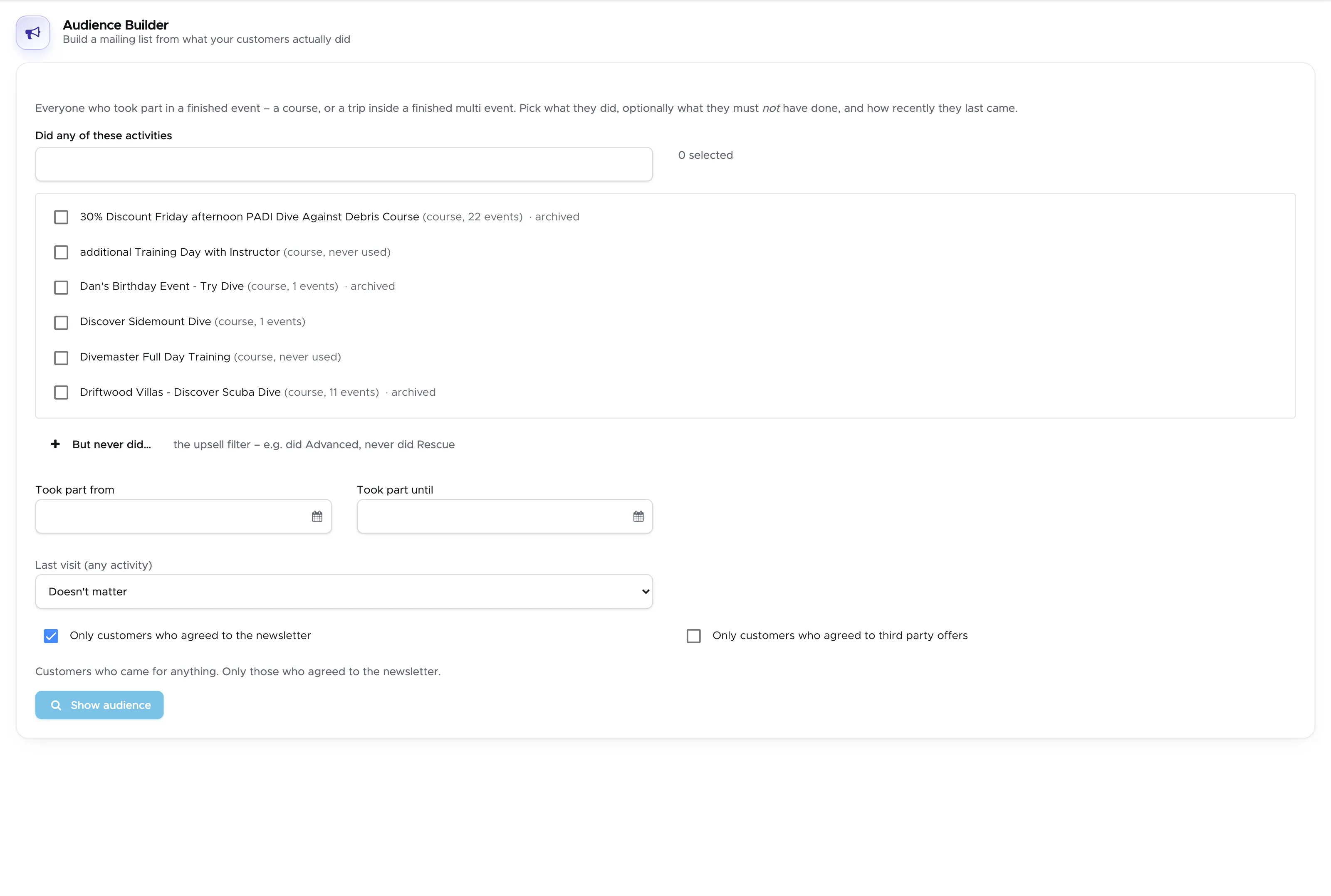
Only finished events count. A customer appears here because they took part in a course, or in a trip inside a multi event that has been finished - not because they exist in your customer list.
18.1.1 Building the audience
Section titled “18.1.1 Building the audience”Did any of these activities - your price list, with the number of events each item has ever had next to it. Items you have archived are still listed and still marked, because your customers dived them even if you no longer sell them. Tick everything that should bring a customer into the list.
But never did… - the upsell filter. Pick the activities a customer must not have done. “Did Advanced Open Water, never did Rescue” is the classic example: that is your Rescue course mailing.
Took part from and Took part until - restrict the audience to people who came in a given period. Leave both empty to consider your whole history.
Last visit (any activity) - independent of what they did:
- Doesn’t matter.
- Has not been back for longer than… - your win-back list.
- Came within the last… - the people who still have you fresh in mind.
Only customers who agreed to the newsletter and Only customers who agreed to third party offers - these two use the consent your customers gave on the online registration form. A customer only counts as having agreed if they ticked the box themselves.
Above the button you will always find one sentence describing, in plain words, the audience you have just defined - for example “Customers who did Advanced Open Water Course, but never did Rescue Diver. Only those who agreed to the newsletter.”
18.1.2 Getting the list out
Section titled “18.1.2 Getting the list out”Click on Show audience. Geek Divers tells you how many customers matched and, just as importantly, how their consent breaks down: how many agreed to the newsletter, how many declined and how many were never asked.
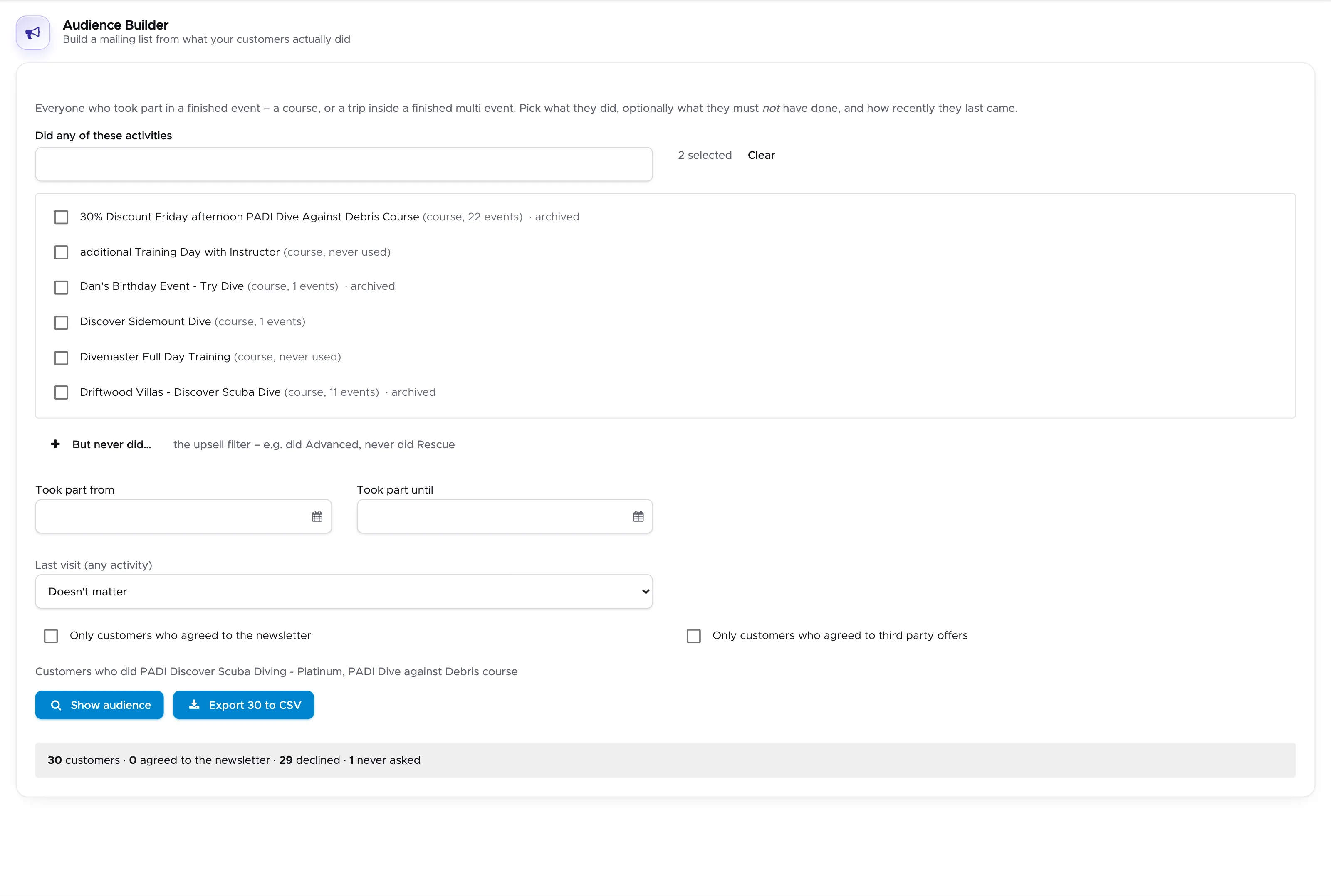
Click on Export to CSV to download the list and feed it to the newsletter tool of your choice.
If the number of customers who agreed is much lower than you expect, look at your registration form: the consent checkboxes are the only place that value is ever set, and a customer who was registered by your staff instead of registering themselves was never asked.