
Agents Invoices/Credit Notes
Similarly to the way you handle staff payslips, you can work on invoices and credit notes for your local agents who work on commissions.
The agent commissions that you’ve set up in your partners’ profiles ( tab Commissions/Price List) will be calculated and written in your agent invoices/credit notes when an activity is closed (if the agent is assigned to a customer in an activity) or when the customer’s bill is closed (when the agent is assigned to the customer in the customer’s profile (tab Bill/Agent) with an “All” commission.
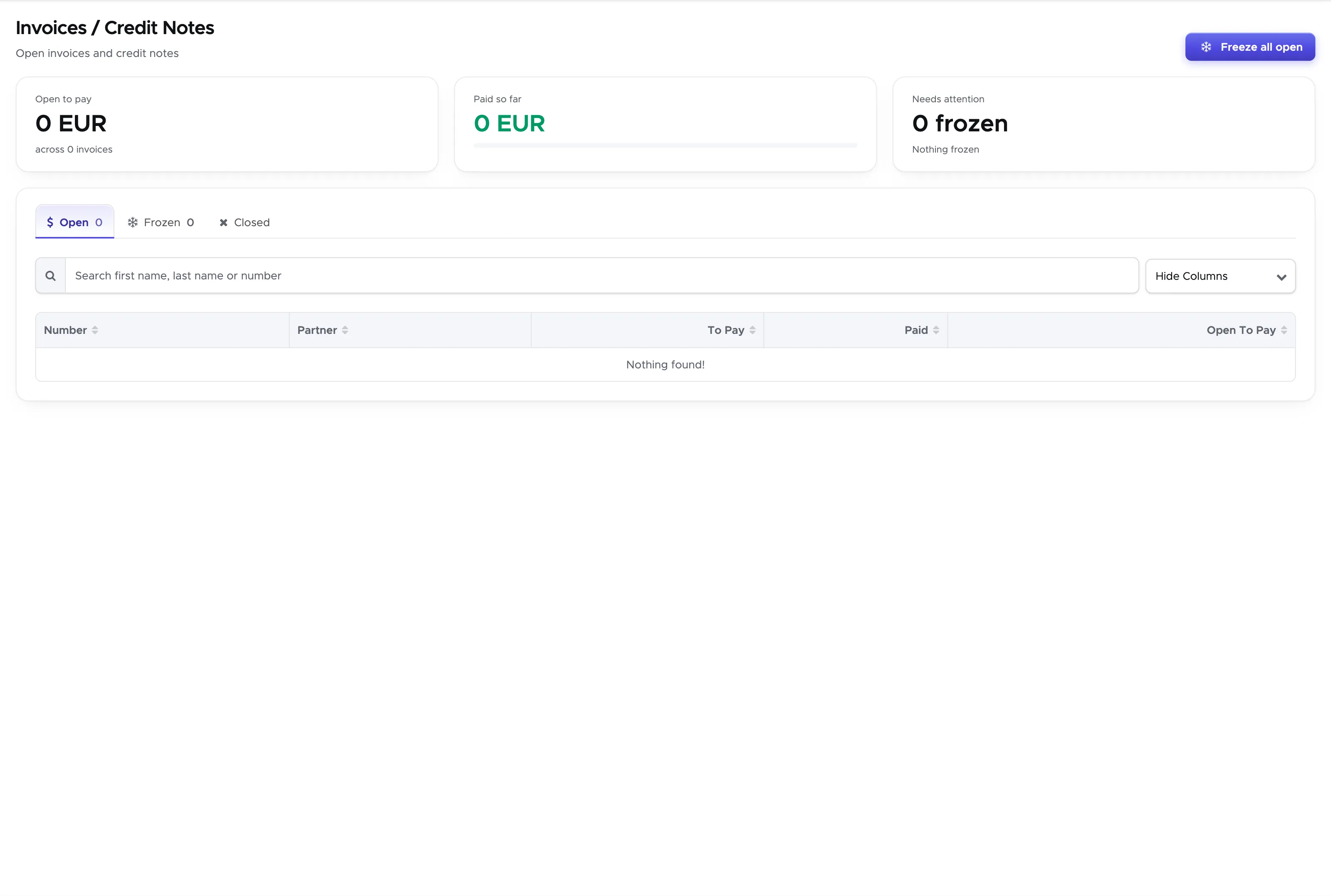
From the menu click on Financial and choose Agent Invoices (previously named Partners). Geek Divers will take you to the list of Open, Frozen and Closed invoices/credit notes.
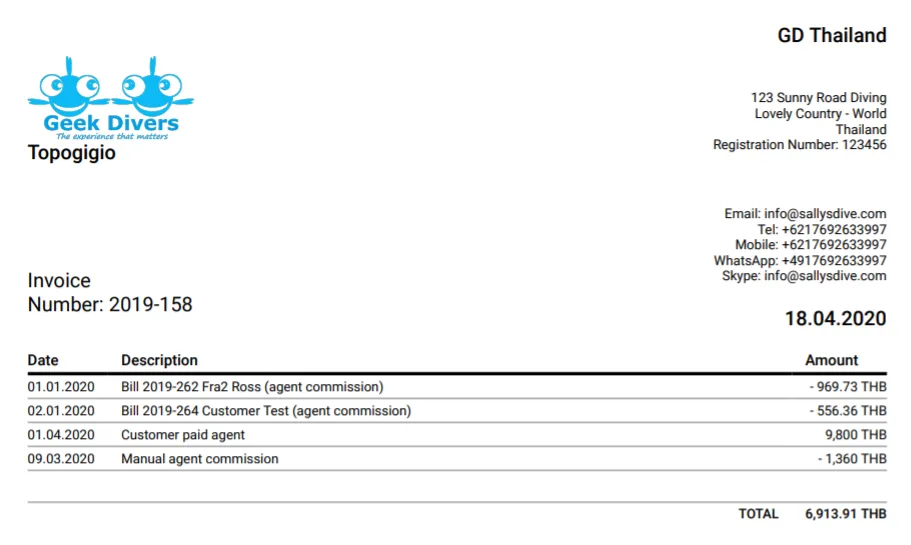
At a first glance you won’t see the difference between invoices and credit notes, but in case you want to print them, the pdf file will show you ‘Invoice’ or ‘Credit Note’ depending on the open balance:
-
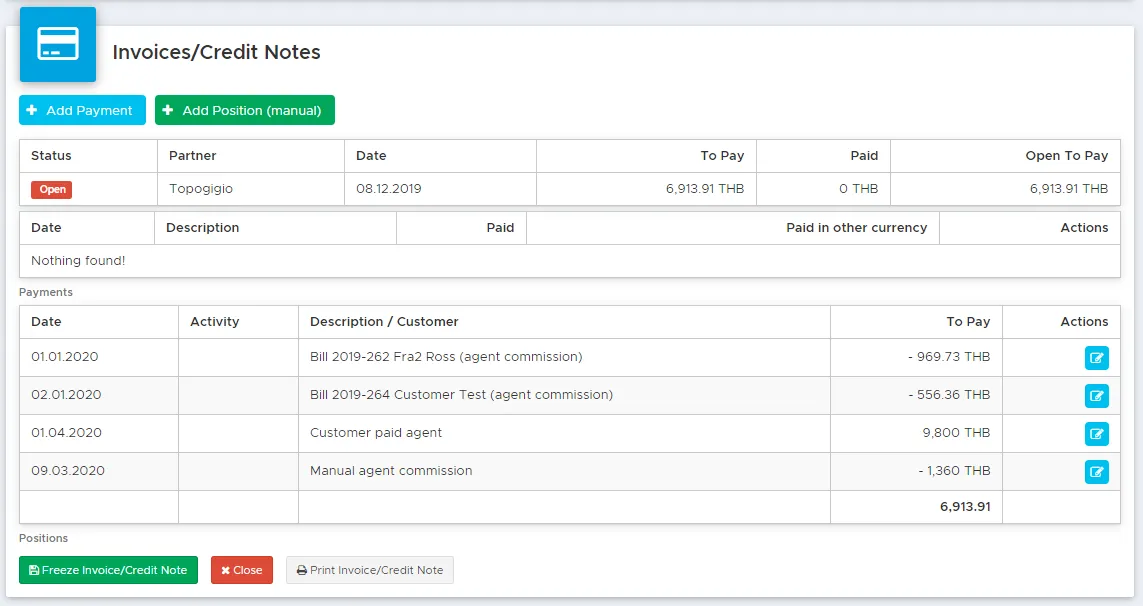
Invoices → the open balance is greater than zero (your agent owes you)
-
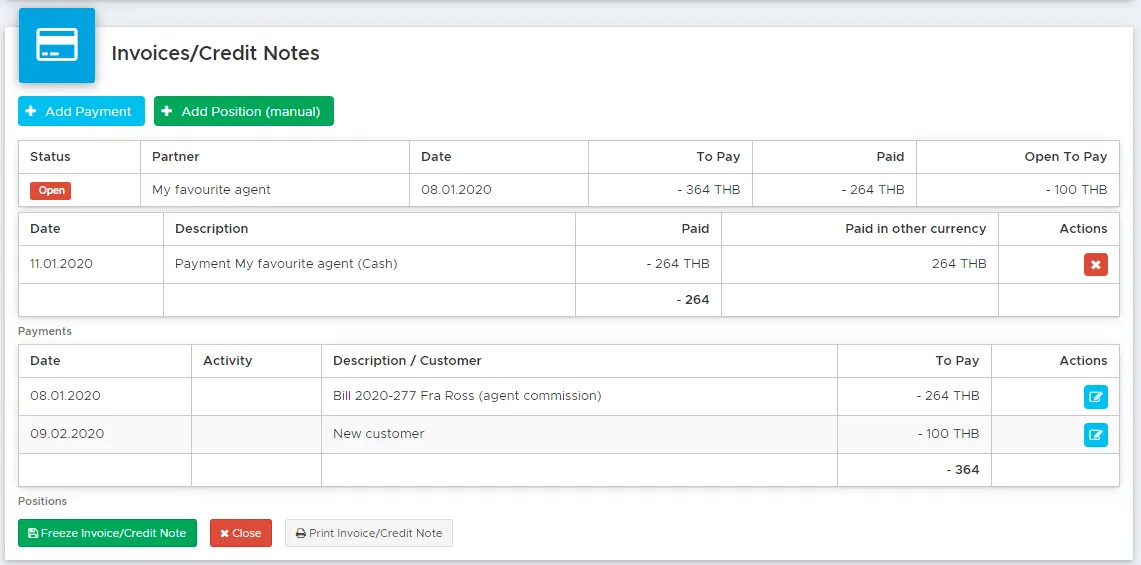
Credit Notes → the open balance is lower than zero (you owe your agent)
Example 1 (invoice):
This is the printed version:
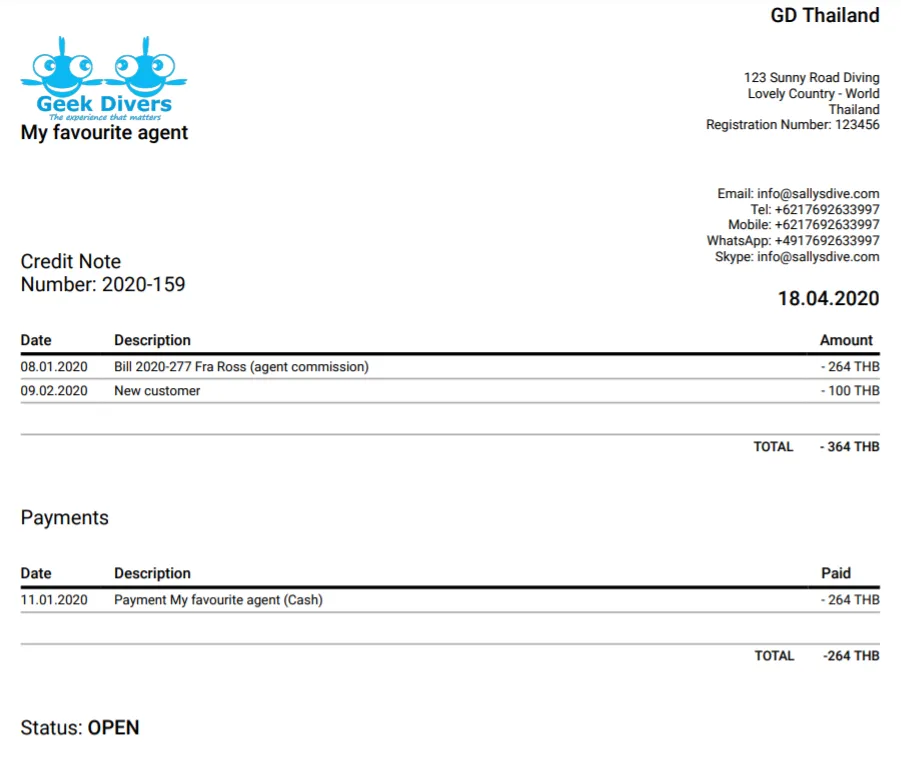
Example 2 (credit note):
This is the printed version:
11.1 Add a payment
Section titled “11.1 Add a payment”To record a payment in an agent’s invoice or credit note, click on button Add Payment.
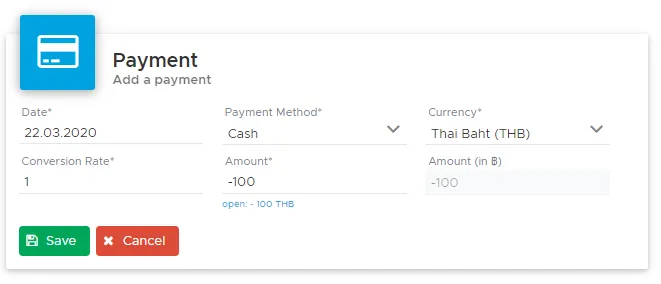
In field Amount write the amount paid or received according to the following rules:
-
An amount lower than 0 (as written in Open) when you pay your local agent.
-
An amount higher than 0 (as written in Open) when your local agent pays you.
In both cases the correct amount will be recorded both in the agent’s invoice or credit note and in your cash flow.
You can choose to leave an agent invoice/credit note open and add regular payments or close it whenever it’s fully paid. If you need to take some time and check all the commissions, you can freeze an agent invoice/credit note and rework it manually, if needed.